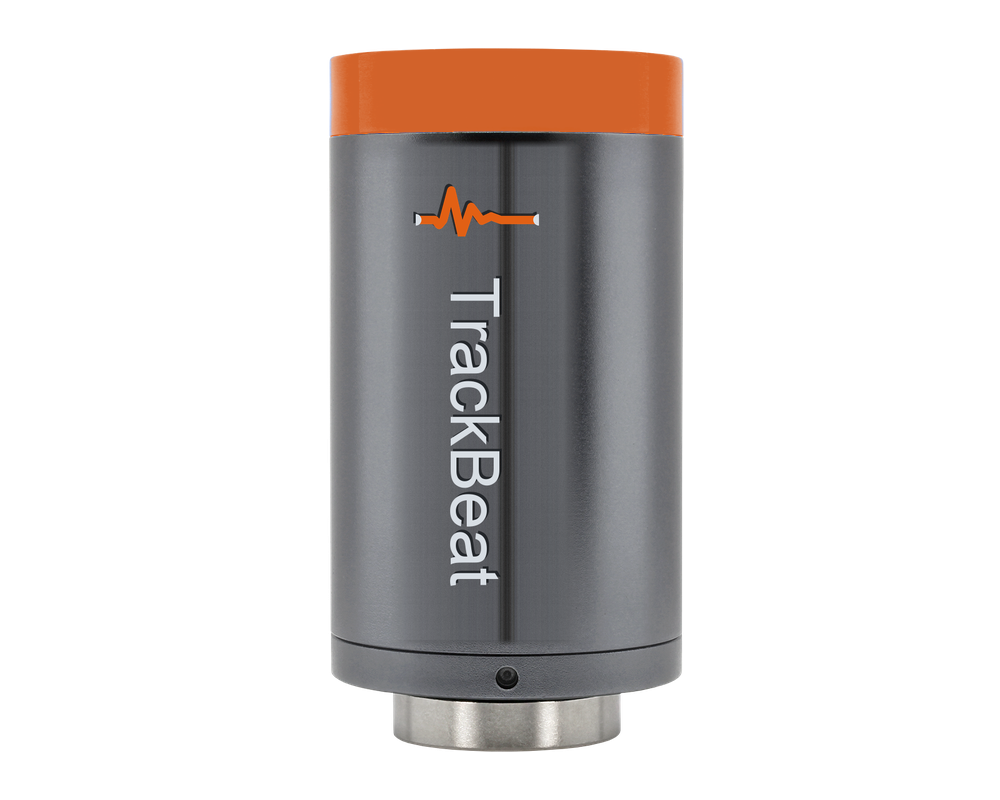
Is the machine running, and how much of the shift was it up? A battery sensor on the housing answers that one minute at a time, from the machine itself. No PLC tap, no wiring, no one filling in a downtime sheet from memory.
Running or stopped, by the minute
Every minute the sensor records the motor’s magnetic field and vibration level. The platform turns that into running or stopped against a threshold set for that machine, so a stop shows up as the minute it happened, not as a guess at the end of the shift.
Nothing is lost on the way
Each minute is written to the sensor’s own memory before it is sent. If the radio or the receiver is down, the sensor keeps logging and the receiver fetches the missing minutes when the link is back. The sensor holds about 288 days.
Downtime that explains itself
Availability today, this week, this month. Stops counted against the production schedule, so a night with no shift is not downtime. Reasons tagged by your team, split into planned and unplanned.
How a minute becomes a number
Four steps, from the motor housing to the availability figure.
Sense every 5 secondsA magnetometer picks up the field a running motor gives off, and an accelerometer picks up the vibration. Twelve readings are averaged into one record per minute.
Log it on the sensor firstEach record goes into the sensor’s flash with a running minute count before anything is transmitted. A radio fault can never lose a reading.
Report through the receiverEvery 1, 5, 15 or 25 minutes, one encrypted sub-GHz frame to the Gateway already on the wall. The receiver acknowledges it and asks for anything it missed.
Decide in the cloudThe sensor only measures. Running or stopped is decided in the platform with thresholds set for that machine, so a change re-evaluates the whole history and nothing on the sensor has to be reflashed.
Built for how plants actually run
Three things that go wrong with uptime counting, and what this sensor does about each.
The receiver is switched off at night
After three unanswered reports the sensor goes quiet, trying less and less often, never more than an hour apart. It still logs every minute. When the receiver comes back the off-hours are back-filled, and battery is not spent calling a receiver that is not there.
Radio gap or a battery change
Minute counts carry on across reboots and battery swaps. A gap in the counts is the truth, and the receiver fetches exactly those minutes from the sensor’s memory. Minutes with no data are shown as no data, never as a stop.
An installer wants to see it work
Touch a magnet to the sensor and it sends its unsent minutes at once, with an LED flash on acknowledgement. The first report goes out one minute after power-up, so nobody waits a full interval to confirm the mount.
UpTime on the console
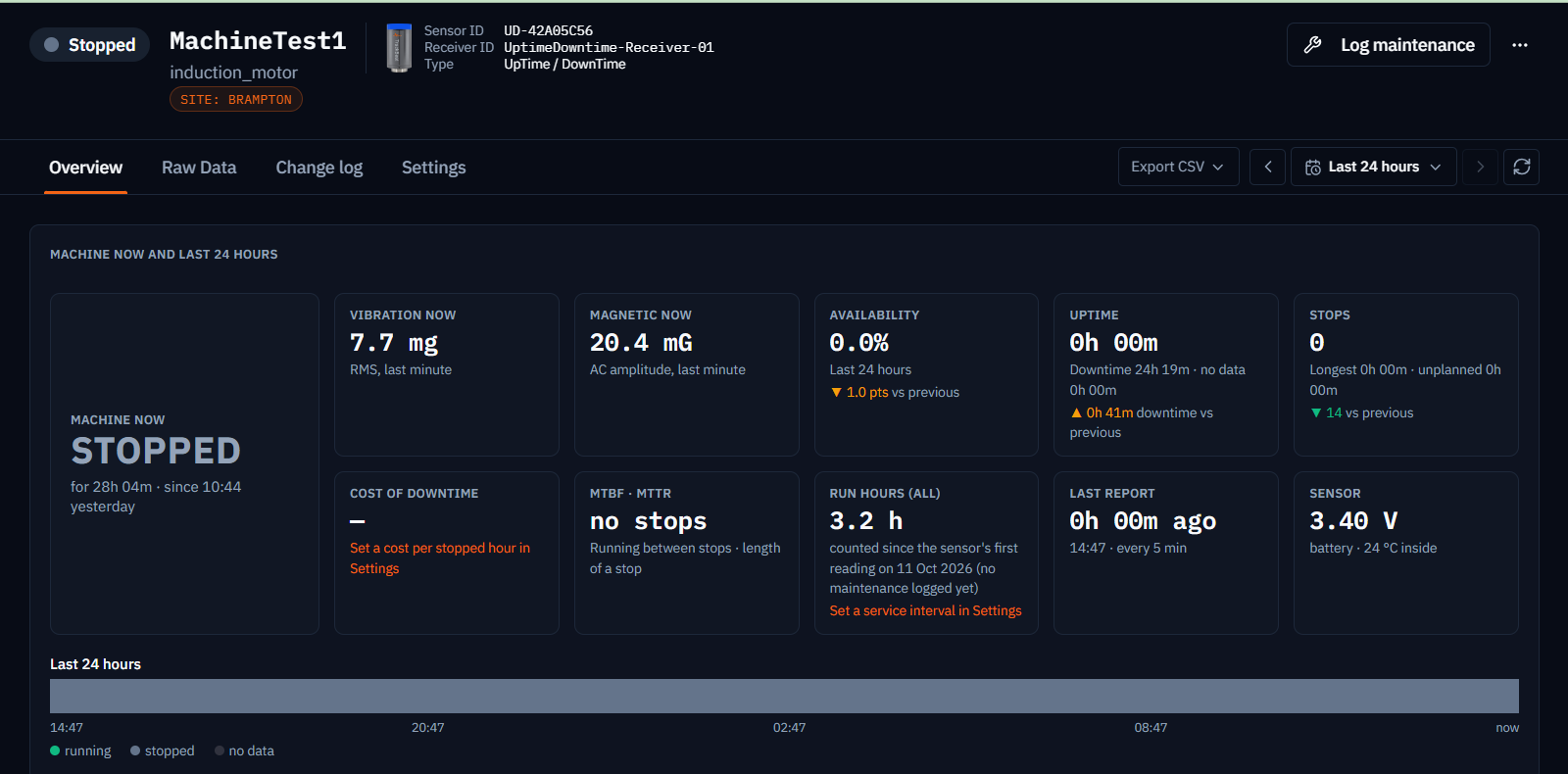
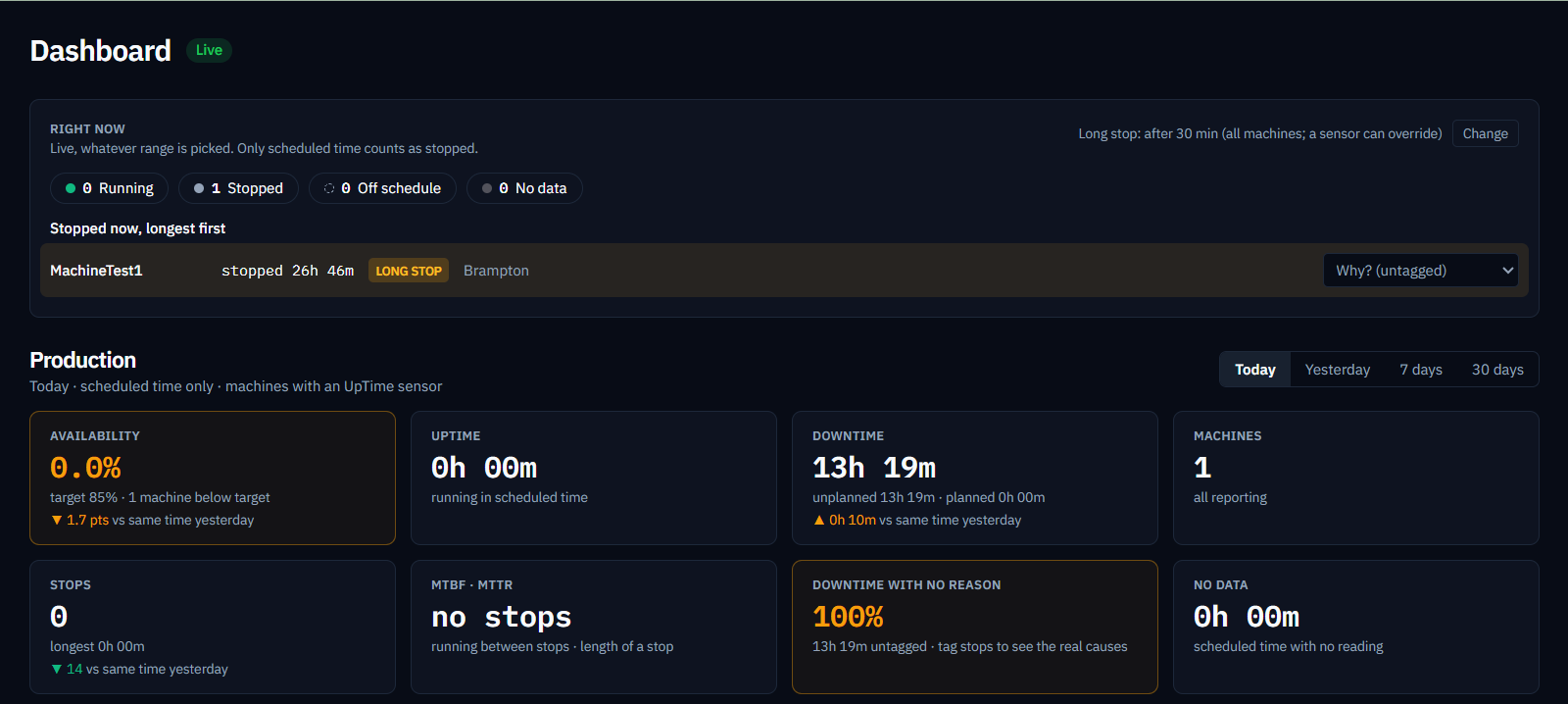
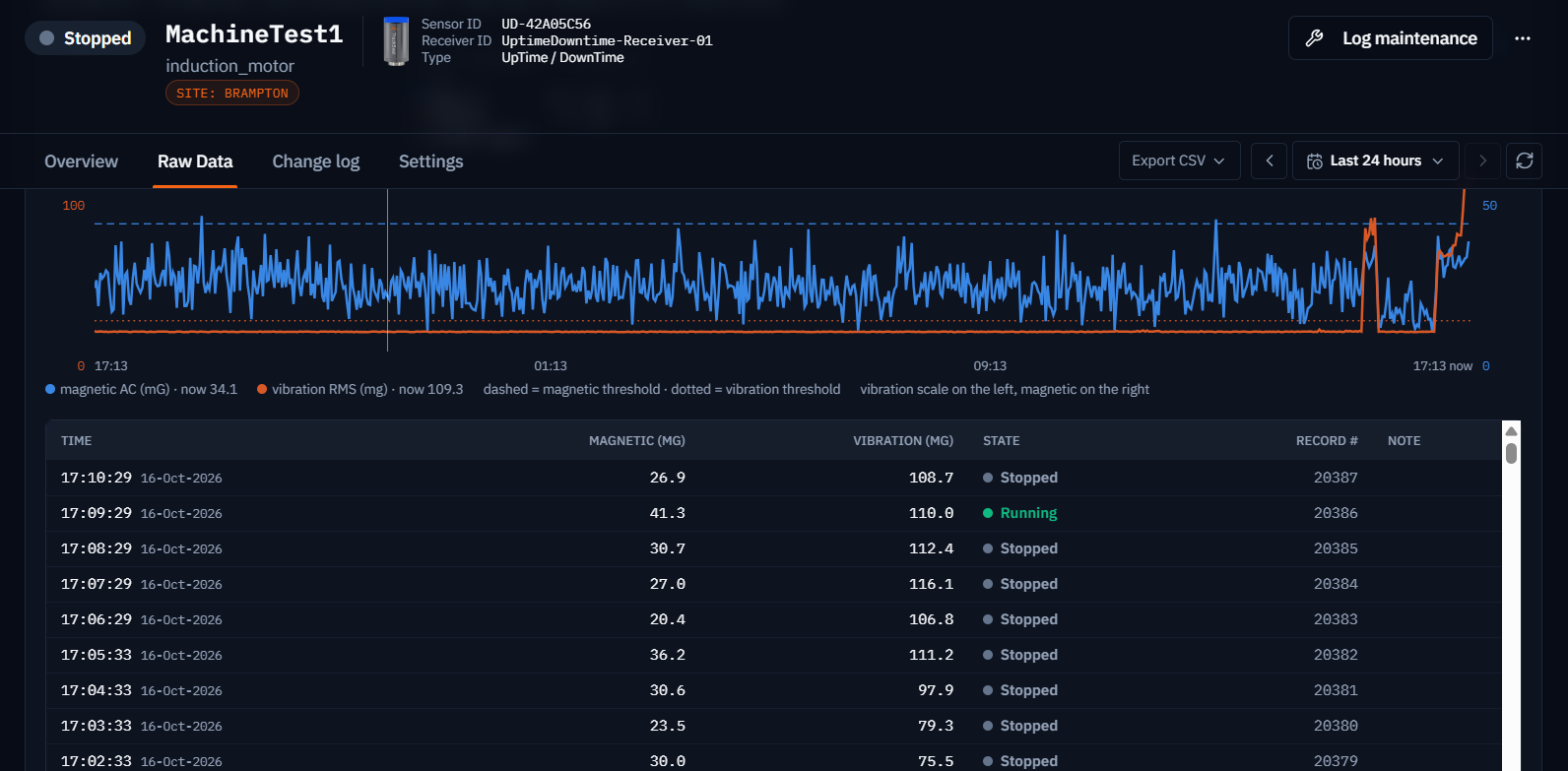
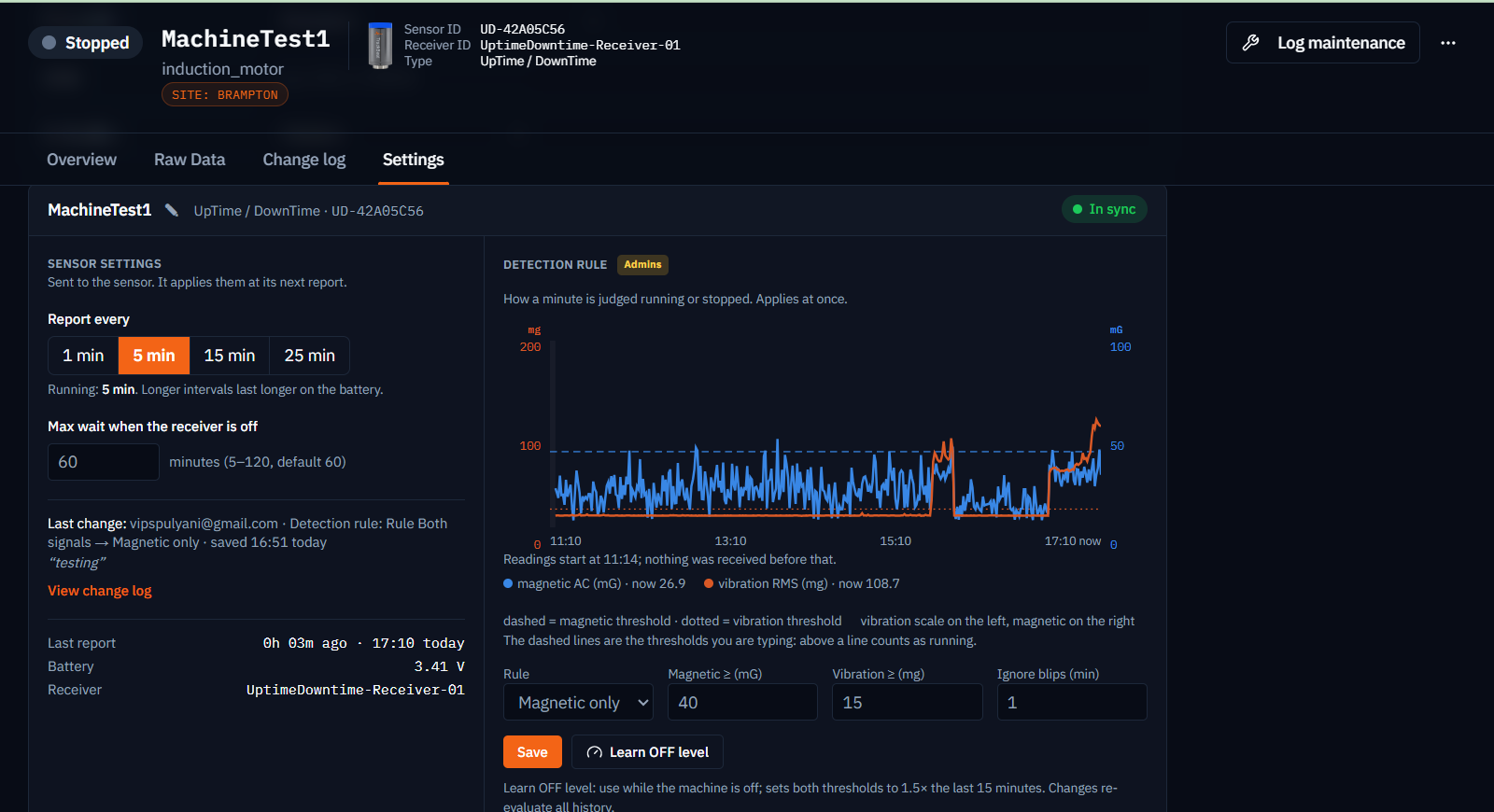
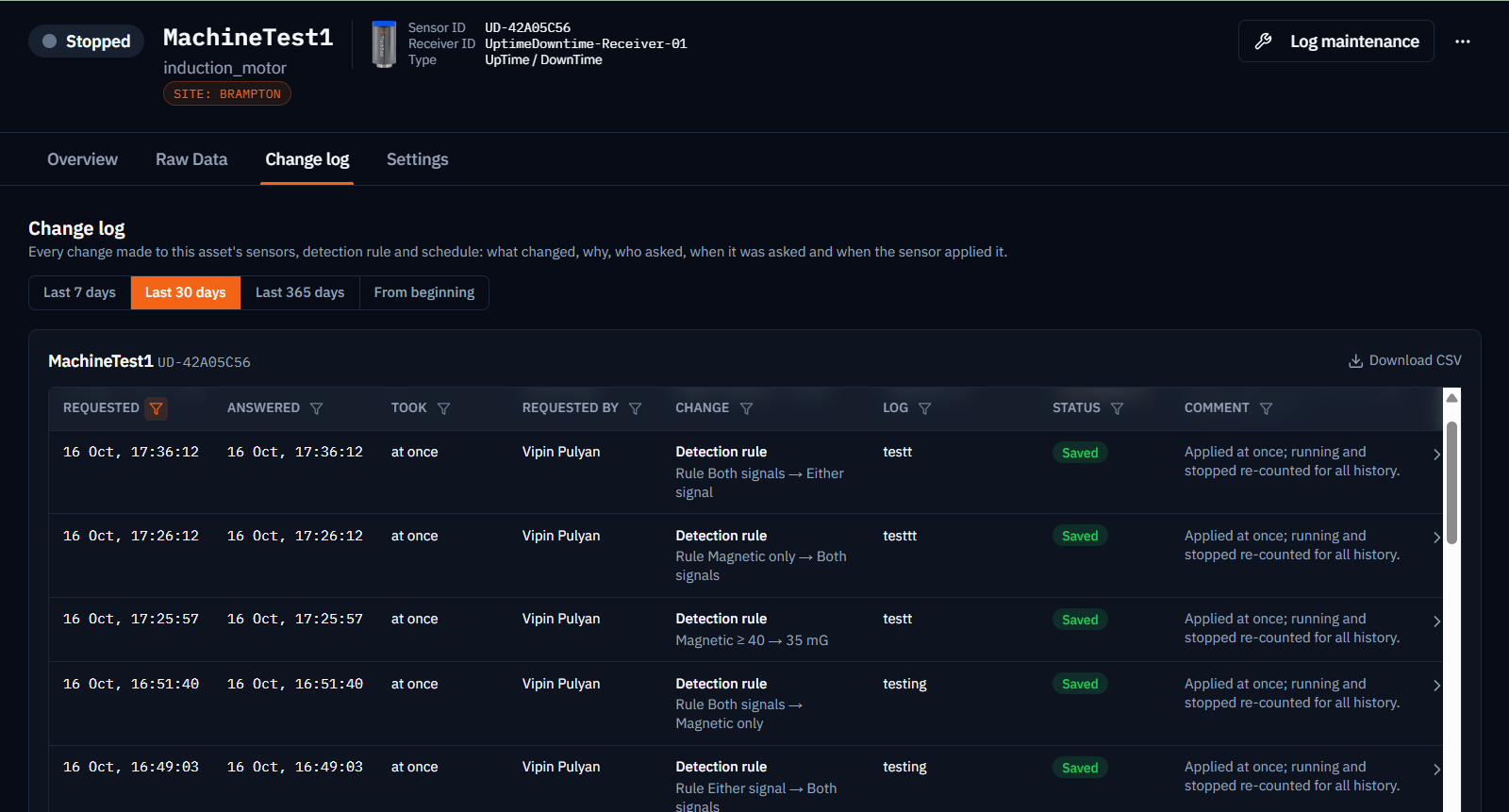
Choose a view on the left. The screen on the right is from the console, on a test motor in Brampton. The running / stopped chip sits beside the health badge and the two are never merged: a stopped machine is not a sick one, and a running machine can still be in alarm.
Overview · machine now and last 24 hoursDashboard · right now, and production todayRaw data · one row per minute, with the state it was givenSettings · sent to the sensor, and the detection ruleChange log · schedule and rule changes, with who and when
Specifications
Figures not on this list are not claimed. The specifications page is the sheet a reliability engineer can size from.
1 minuteOne record per minute, every minute
≈ 288 daysRolling history kept on the sensor
~10 yearsEstimated battery life, receiver off 16 h a day
TB-S15Available to order
Sensing
Magnetic field amplitude and vibration RMS, averaged over each minute
Decision
Running / stopped in the platform, per-machine thresholds, blip filter, re-evaluated on change
Report interval
1, 5, 15 or 25 minutes, set from the console
On-sensor memory
Rolling log of about 288 days. Any minute still held can be fetched by the receiver.
Radio
Sub-GHz, 902–928 MHz ISM, encrypted, same network as the vibration sensors. Data rate 10 / 110 / 250 kb/s.
Power
Replaceable lithium D cell. Estimated life about 10 years with the receiver off 16 h a day. Reported as voltage, not a percentage.
Timekeeping
Minutes timed on the sensor’s crystal clock, about ±2 s a day, stamped to wall time by the receiver
Magnet actions
Touch: send unsent minutes now. Hold 30 s: radio returns to the factory profile for re-commissioning.