Plant Manager
What changed this week, and what it’s worth.
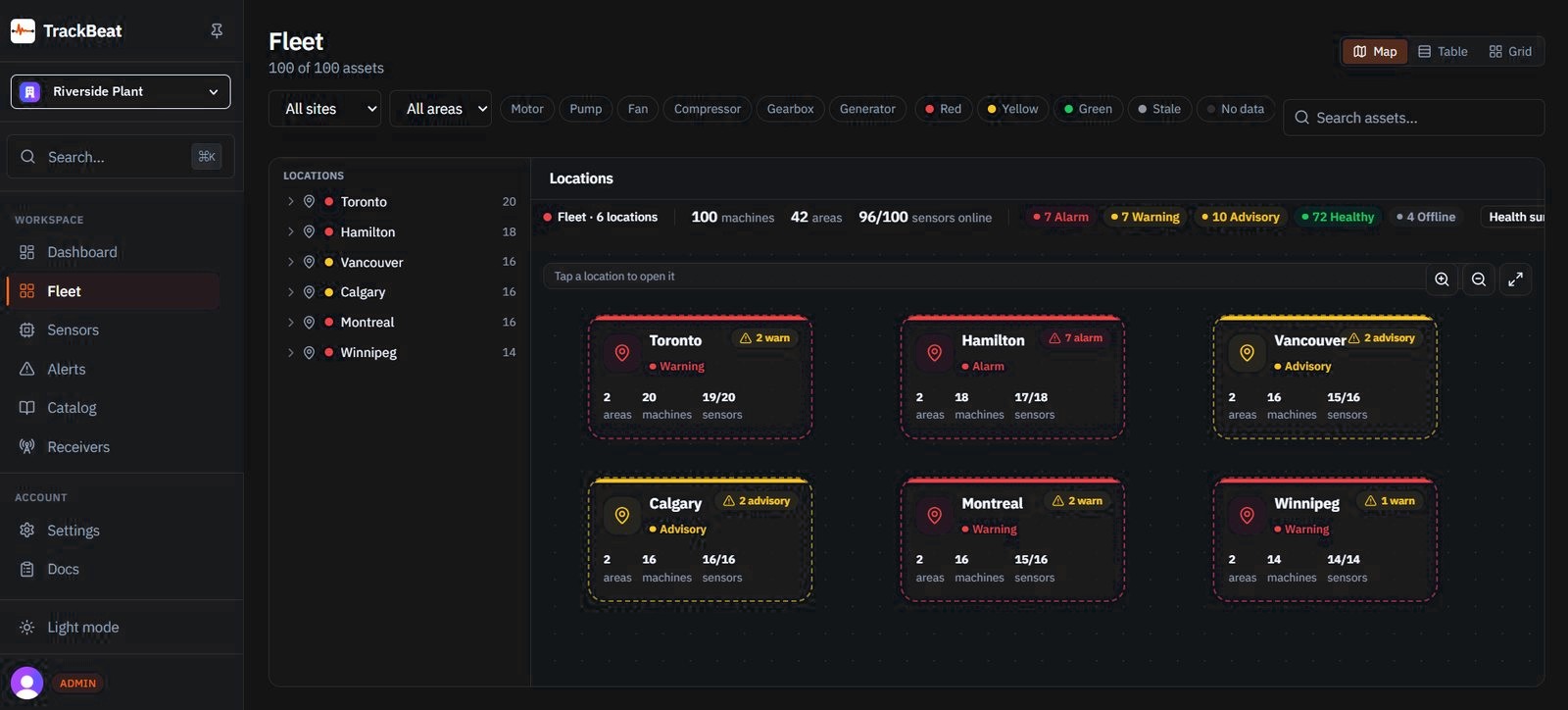
The fleet opens on the sites that moved.
- Locationthe site, and its worst state
- Machineshow many are in it
- Sensorsonline, out of those fitted

FleetEach locationWorst state, areas, machines, and sensors online
The morning page
One fleet view, before the first meeting.
Show the week from the sites that need a decision.
The fleet, counted.
- AlarmNeeds a decision
- WarningRaised
- AdvisoryEarly
- HealthyIn range
- OfflineNot reporting
- 1LocationThe site, and its worst state.
- 2AreasHow many areas are in that location.
- 3MachinesHow many machines are in that location.
- 4SensorsHow many are online, out of the sensors fitted.
Each location card carries those four. The numbers are that plant’s.

Thirty days, on the row.
- 30days on the bar
- Zoneon that same row
- Alarmbeside the bar
The zone and the alarm sit on that same row, so the meeting can see which machine moved.
What you can stand up in a review
The plant.
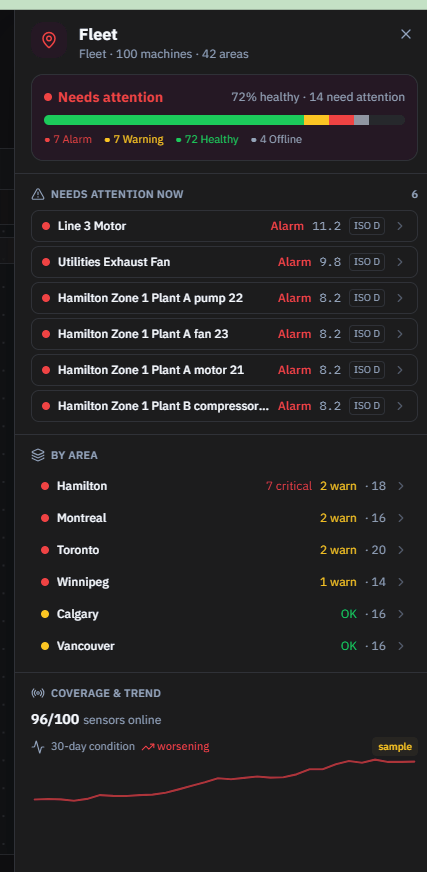
- Need attention immediately.It sits at the top, as the priority. The rest of the plant waits under it.
- Each area, at a glance.How many machines need attention, area by area, without opening the whole list.
- The call is yours.From that list the plant manager decides what to take before the line stops.
- A shutdown avoided.The line keeps running. That saved stop is the return.
- A quiet sensor is not a healthy one.Offline is called out, so a missing reading is not mistaken for a machine that is fine.
For the review
The sites that moved.
Open there. The rest of the plant can wait.
- 01RedNeeds attention immediately.
- 02YellowRaised. Watch it this week.
- 03GreenIn range. Leave it running.
- 04StaleNot reporting. Do not call it healthy.
- 05No dataNothing on the row yet.
- Priority, at the top.The meeting starts on what needs attention immediately.
- Every area, counted.How many machines need attention, before you open one.
- The return.Decide before the line stops. A shutdown avoided is the ROI.